
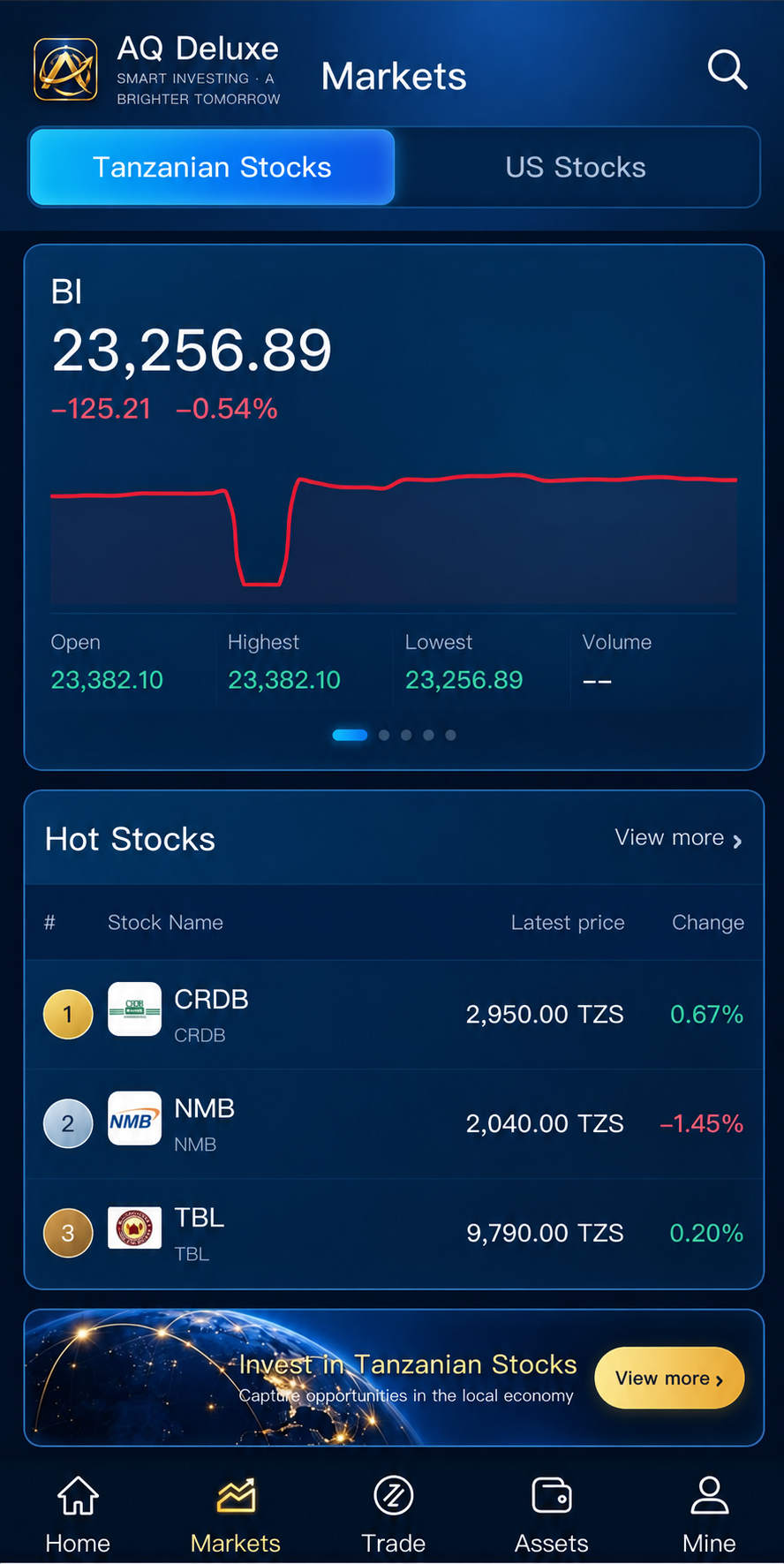
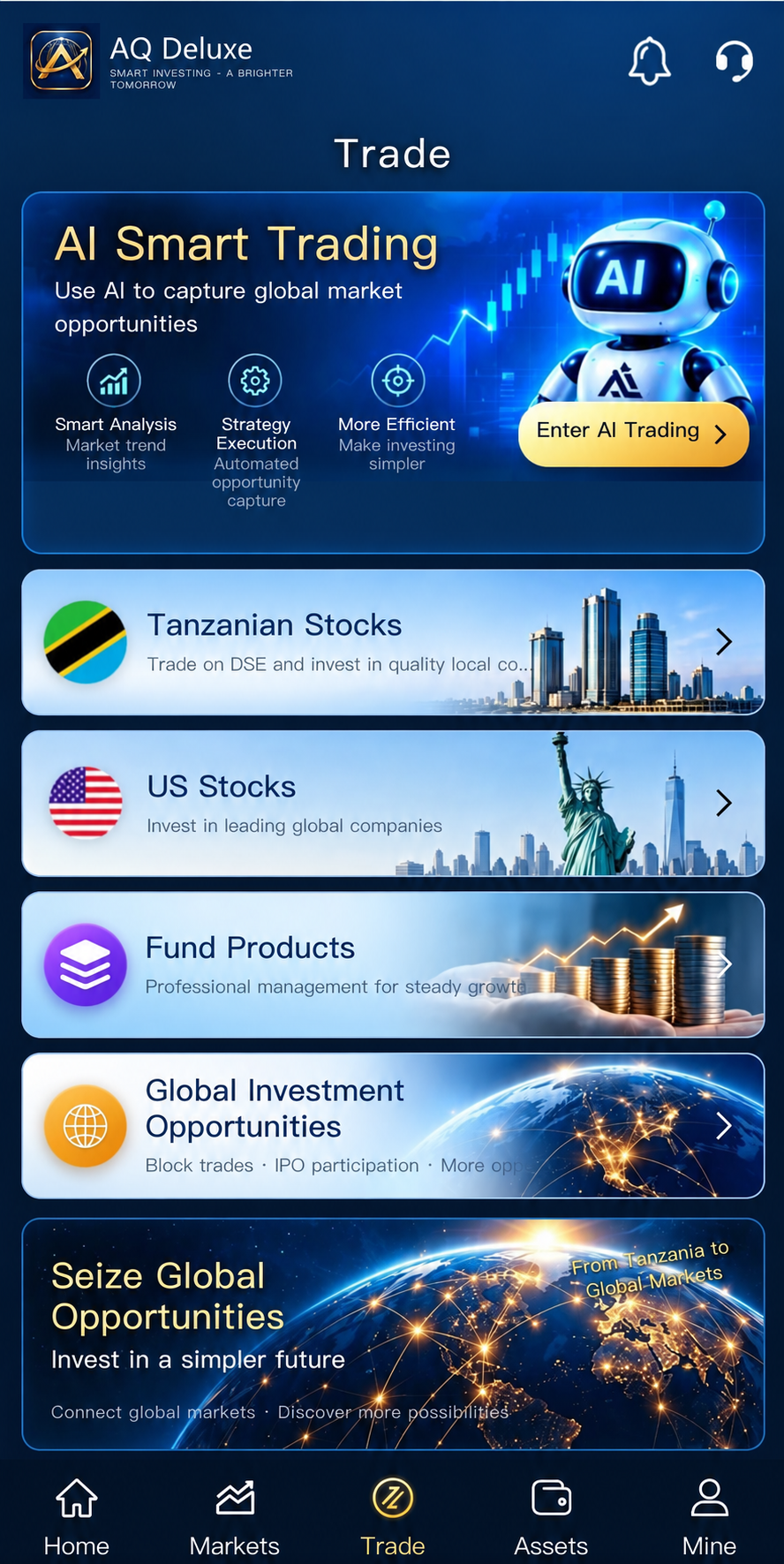
iOS / Android
Mobile App
Real-time notifications, strategy tracking, parameter toggles, and two-factor authentication.
Requirement: iOS 14.0+ / Android 8.0+
Android users: AQ Deluxe mobile desktop version

iOS users: search AQ Ultra on the App Store


Review AQ Deluxe download options for iOS and Android, web-terminal access, supported devices and installation steps. TZS and USD account areas remain separately displayed and managed.
AQ Deluxe is designed for mobile and web access, with supported devices sharing account visibility and platform settings.
DSE AI/TZS and US Stock AI/USD remain separately displayed and independently activated, so market selection is clear before use.
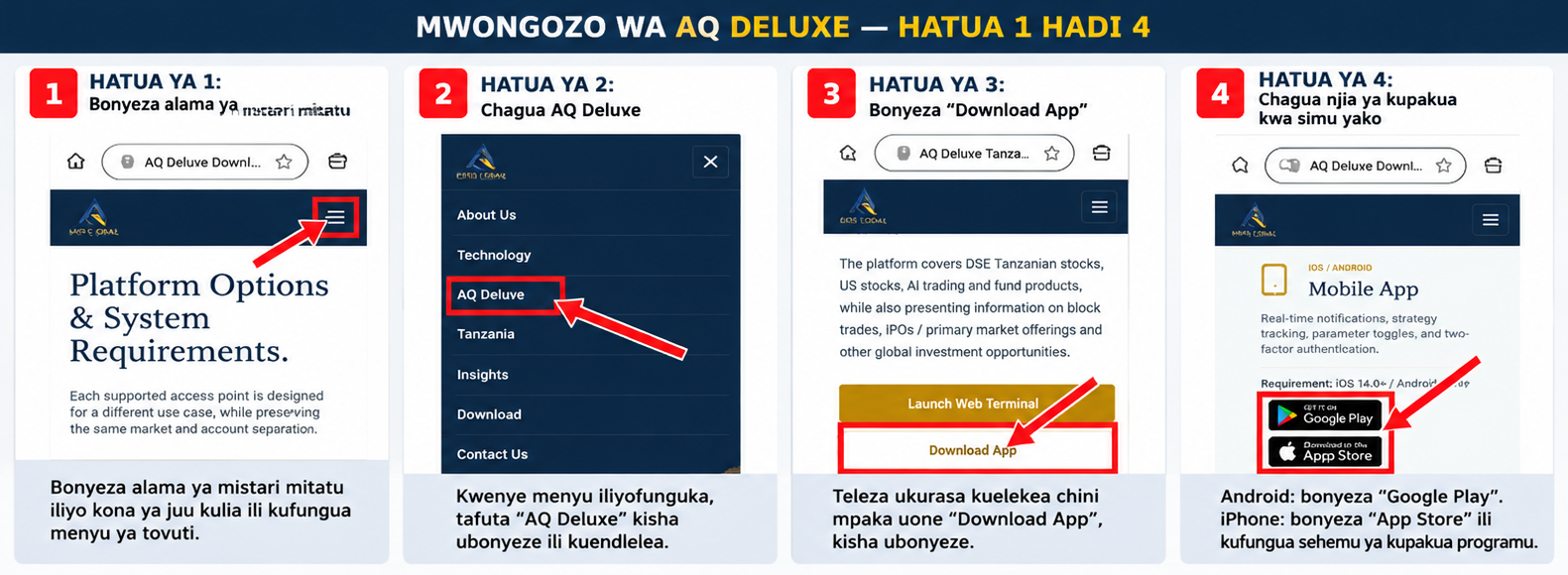
Each supported access point is designed for a different use case, while preserving the same market and account separation.
AQS Global's investment and trading platform has completed its system upgrade and now uses the AQ Deluxe brand name and new logo.
Because Apple and Android update schedules differ, app names and logos may temporarily differ by system. Follow the official install guide below for the latest access method.
This upgrade does not affect existing accounts. Users can continue signing in with current accounts. Funds, assets and trading records remain synchronized.
iOS / Android
Real-time notifications, strategy tracking, parameter toggles, and two-factor authentication.
Requirement: iOS 14.0+ / Android 8.0+
Android users: AQ Deluxe mobile desktop version
iOS users: search AQ Ultra on the App Store
Modern Browser
Advanced charting, multi-asset analytics, parameter customization, and cloud synchronization.
Requirement: Chrome, Safari, Edge, or Firefox
Web Terminal: AQ Deluxe
OpenWeb TerminalDear users,
To further improve platform service and user experience, we have upgraded the platform brand from AQ Ultra to AQ Deluxe, and updated the platform name and logo.
Because Apple and Android app update progress differs, the app name and logo currently differ between the two systems. Below is the latest access and installation guidance.
The Apple App Store still uses the pre-upgrade name AQ Ultra and the original logo.
Apple users can search for AQ Ultra in the App Store to find and download the app.
AQ Ultra is the brand name used before the upgrade. AQ Deluxe is the brand name after the upgrade.
AQ Deluxe Google Play download service is temporarily unavailable. Related listing work is still in progress.
After the requirements are completed and Google Play review is passed, we will publish the latest download information on the official website.
In the meantime, Android users can use the official AQ Deluxe mobile desktop version through the install entry on the official website.
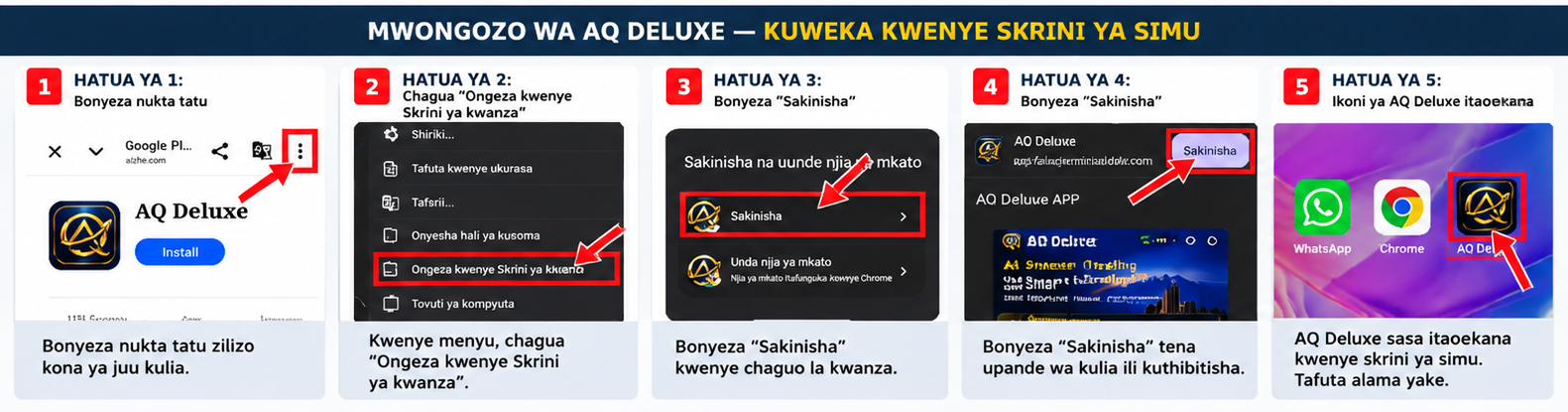
After installation, the AQ Deluxe icon appears on the phone home screen. Tap the icon to enter the platform directly for daily use.
You do not need to download from Google Play. Please follow the install diagrams below.
Find and open the Google Chrome browser on your Android phone.
Use the official AQ Deluxe mobile desktop install entry published on the platform website. Confirm you opened the correct official link.
On the install page, tap the three dots (⋮) in the upper-right corner of the browser to open the menu.
In the menu, find and tap “Install and create shortcut”. Some phones or Chrome versions may show “Install app” or “Add to Home screen”. Follow the option shown on your phone.
Follow the phone prompt and tap “Install” or “Add”. When finished, return to the home screen to find the AQ Deluxe icon.
Tap the AQ Deluxe icon on the home screen to enter the platform. Later, open it from the home-screen icon without re-entering the URL each time.
If you have any issues finding the app, opening the install link, or adding the mobile desktop version, contact AQ Deluxe online support.
Support staff will provide the corresponding installation guidance.
Thank you for your understanding and support of AQ Deluxe.
Official access will be announced through verified AQ Deluxe channels. Do not rely on unverified download sources.
Review account access settings and protect your sign-in credentials.
Download only through verified channels or aqsgloballlc.com to ensure file integrity.
Cloud synchronization keeps strategy parameters and monitoring state aligned across supported devices.
If you have questions about the app name, logo or install link, contact AQ Deluxe online support for guidance.